4Which lane type is mine?
Find the drawing that looks like your drive-thru. Each one says what to pick in the board's settings (Lane type and Start from, section 5) and shows what the board then looks like.
1Line (waiting to order)2Order (menu board)3Pay window4Pickup window5Wait bay
A. One lane, a pay window and a pickup window
The most common drive-thru: one line, one menu board, cars pay at the first window and pick up at the second.
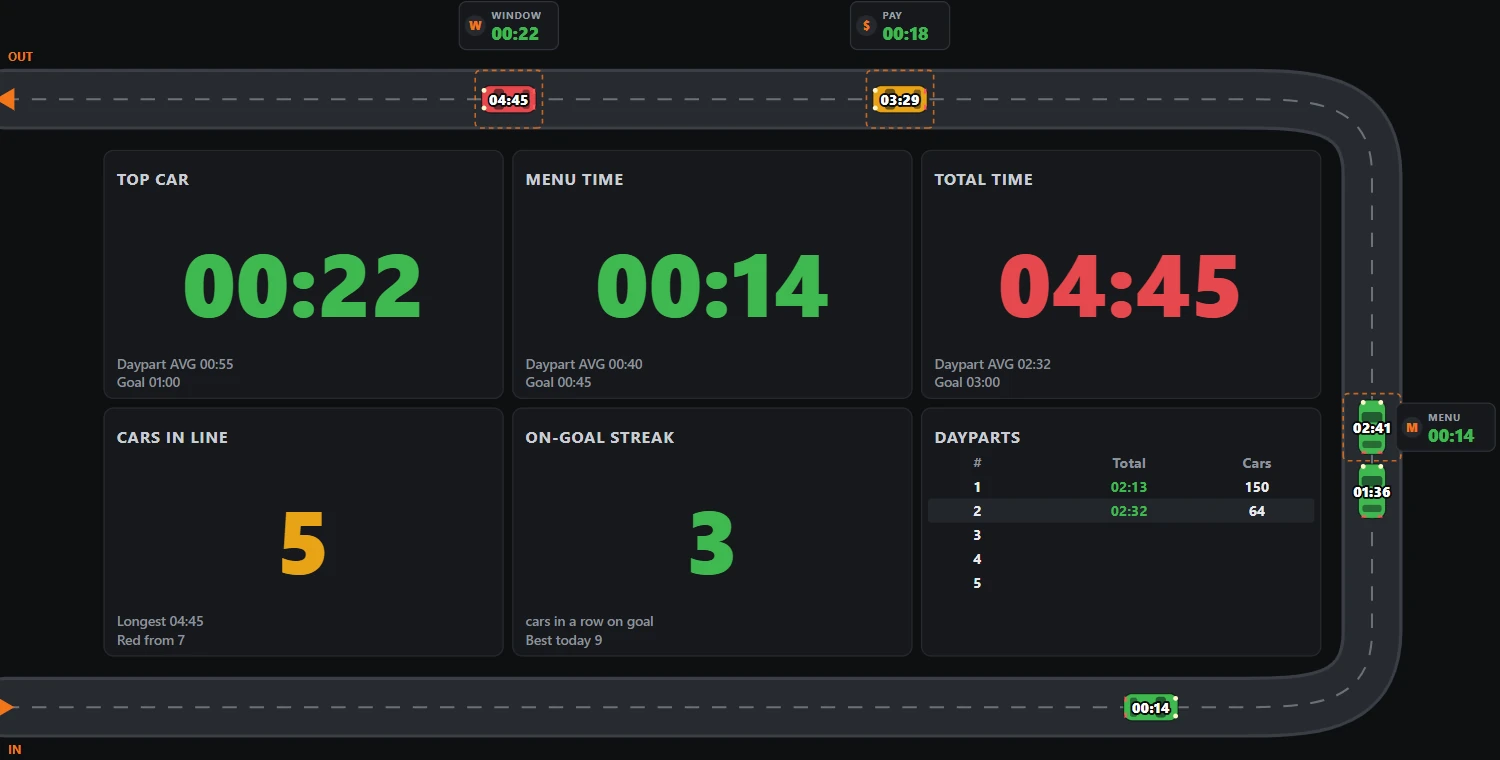
Pick: Lane type Single lane · Start from Line, menu, pay window, pickup window
B. One lane, one window (pay and pick up at the same window)
A small restaurant or a quiet shift: the same person takes the money and hands out the food.
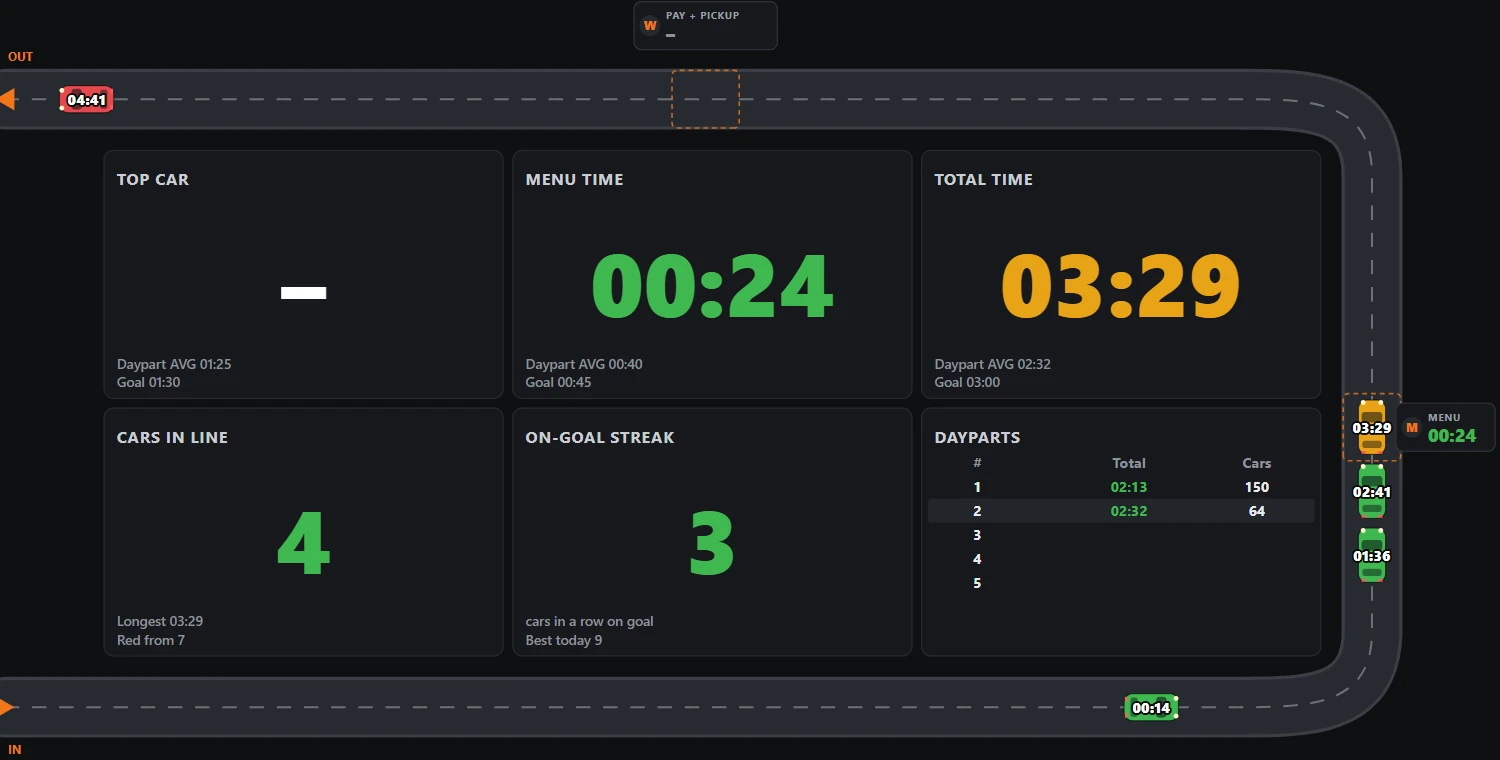
Pick: Lane type Single lane · Start from Line, menu, one window (pay and pick up)
C. One lane, two menu boards one behind the other (tandem)
One lane with two speaker posts: two cars order at once, the front car at the front board and the next car at the back board.
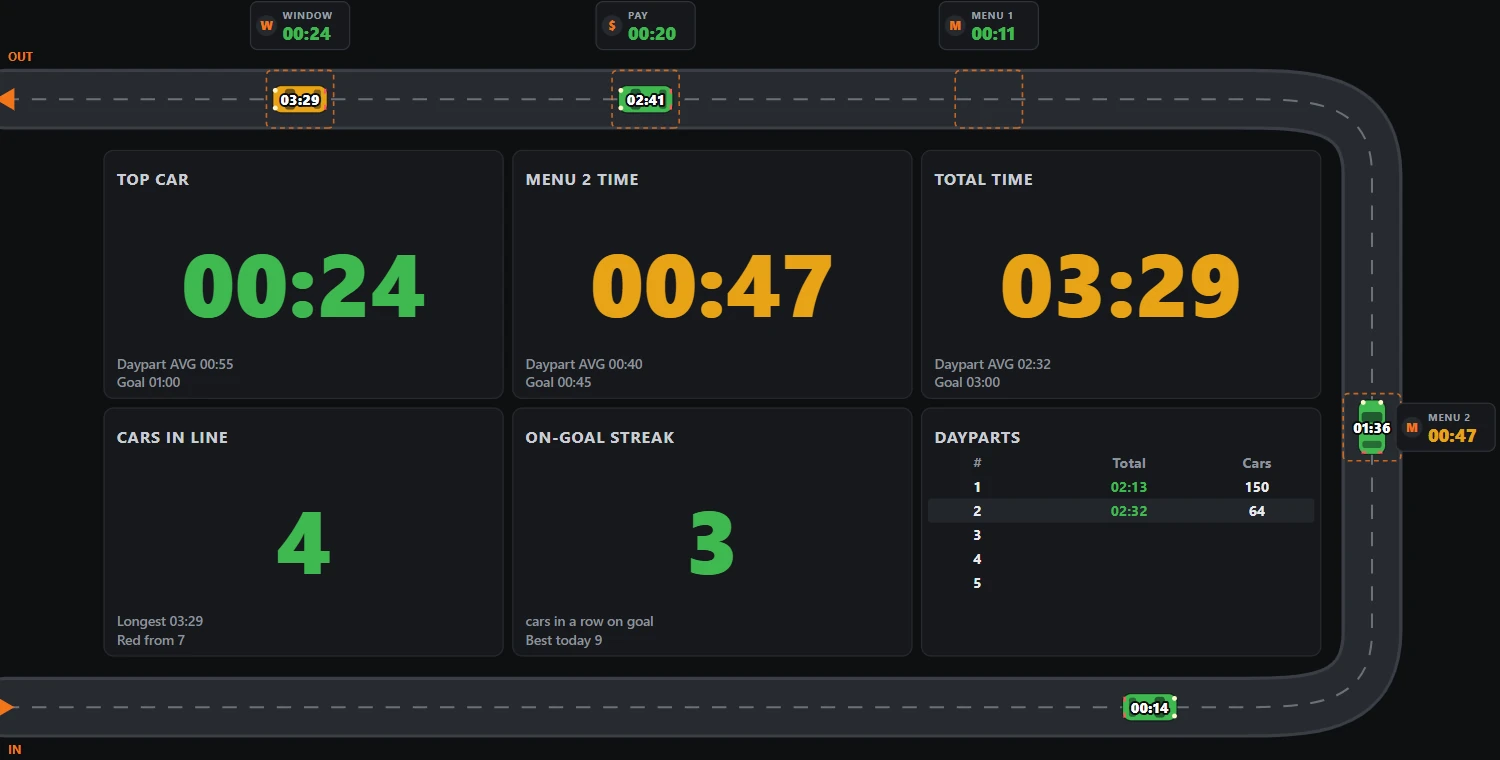
Pick: Lane type Single lane · Start from Line, menu, pay window, pickup window, then + Add a point, set it to Order (menu board) for the second board and move it beside the first with the arrows. Each car is timed at the board it used.
D. Two order lanes that merge into one (a Y lane)
Two lanes side by side at the menu boards, one board each, merging into one lane before the pay window. Also called side-by-side ordering.
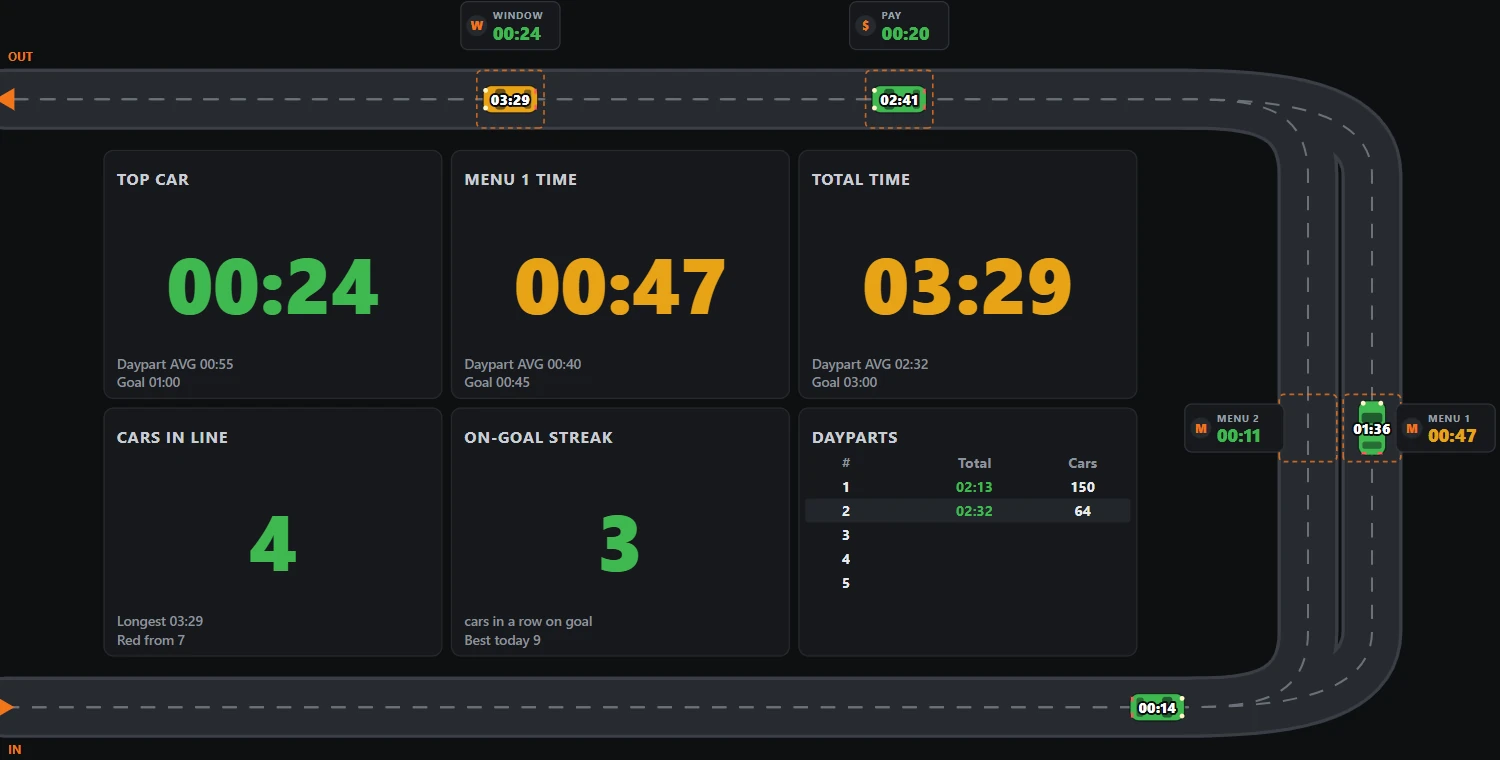
Pick: Lane type Y lane (two menus, one line) · Start from Line, menu, pay window, pickup window. This gives a line point, Menu 1, Menu 2, pay and pickup. Cars from both menus go on in the order they leave them. The line point is before the lanes split; leave it out if they split at the entrance.
E. Two complete lanes side by side
Two lanes from start to finish, each with its own menu board and its own windows. Cars never move from one lane to the other.
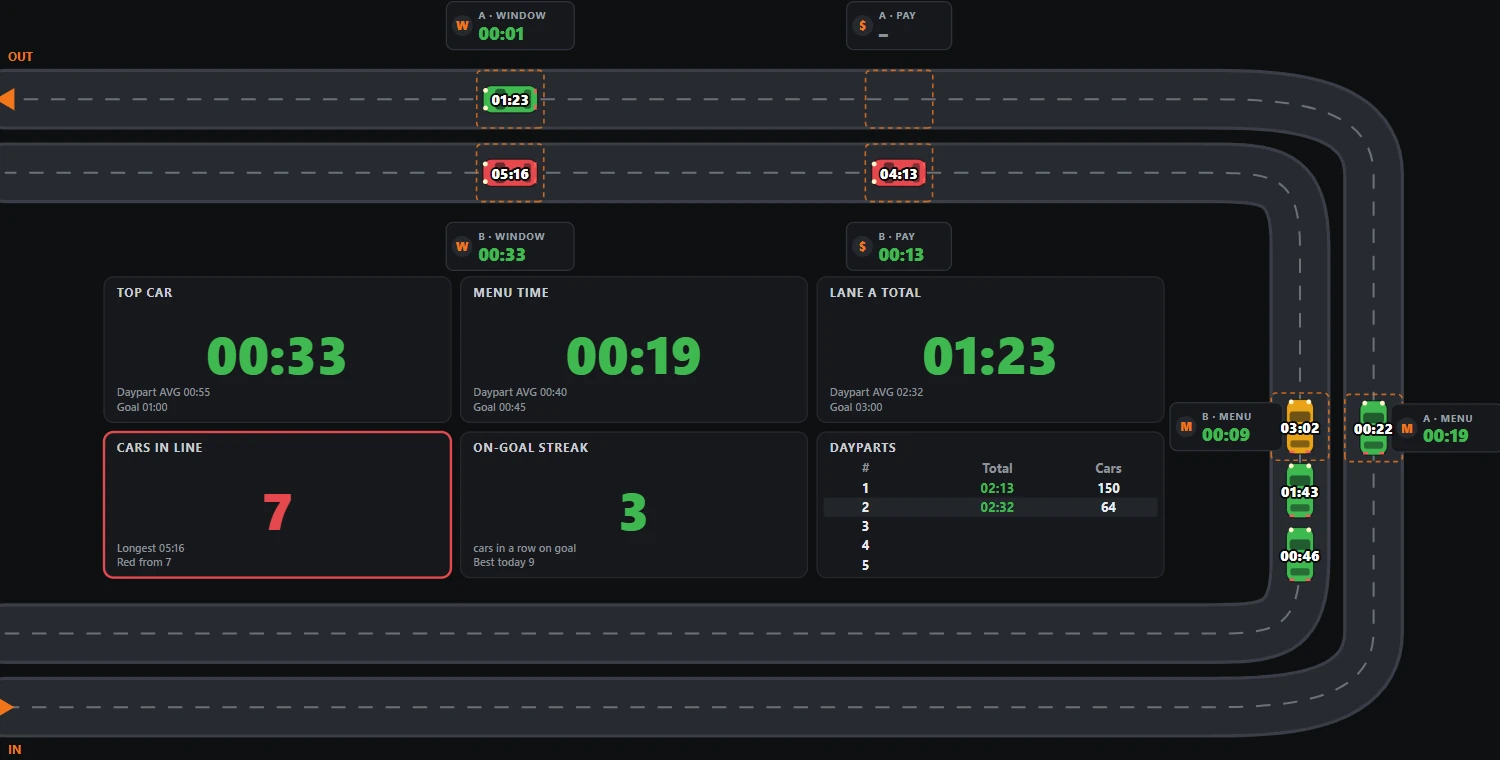
Pick: Lane type Two lanes (side by side) · Start from either template; it fills both lanes. Draw each lane's own zones. The board shows each lane's times and a total for both.
Any lane type: the wait bay (pull-forward)If staff ask cars with a long order to wait in a parking bay, add a Wait bay (pull-forward) point after the window. Those cars are counted and timed on their own, so pulling a car aside never makes the lane look faster than the customer's real wait. In drawing A, it is the dashed point 5.
Not sure?Watch the lane for ten minutes. Count the places where a car stops: that is your list of points, in the order a car meets them. The line point (cars waiting before the menu board) is optional but recommended: without it, the board cannot see the queue grow or count drive-offs.