Skip to the content
LineSenseGUIDE
All topics (4 of 13)
  1. 1What LineSense does
  2. 2Where it works
  3. 3Before you start
  4. 4Where to put the cameras
  5. 5Set up the board
  6. 6Times, alerts and who is told
  7. 7Using the board every day
  8. 8A TV with no PC: HDMI
  9. 9Reports
  10. 10Where alerts and reports go
  11. 11How the times are measured
  12. 12When something looks wrong
  13. 13Setup checklist

LineSense › Guide › Where to put the cameras

4Where to put the cameras

The gateway counts people where they stand: the bottom middle of each person, their feet. So a camera must see the floor of each line, from the register back to where people join it.
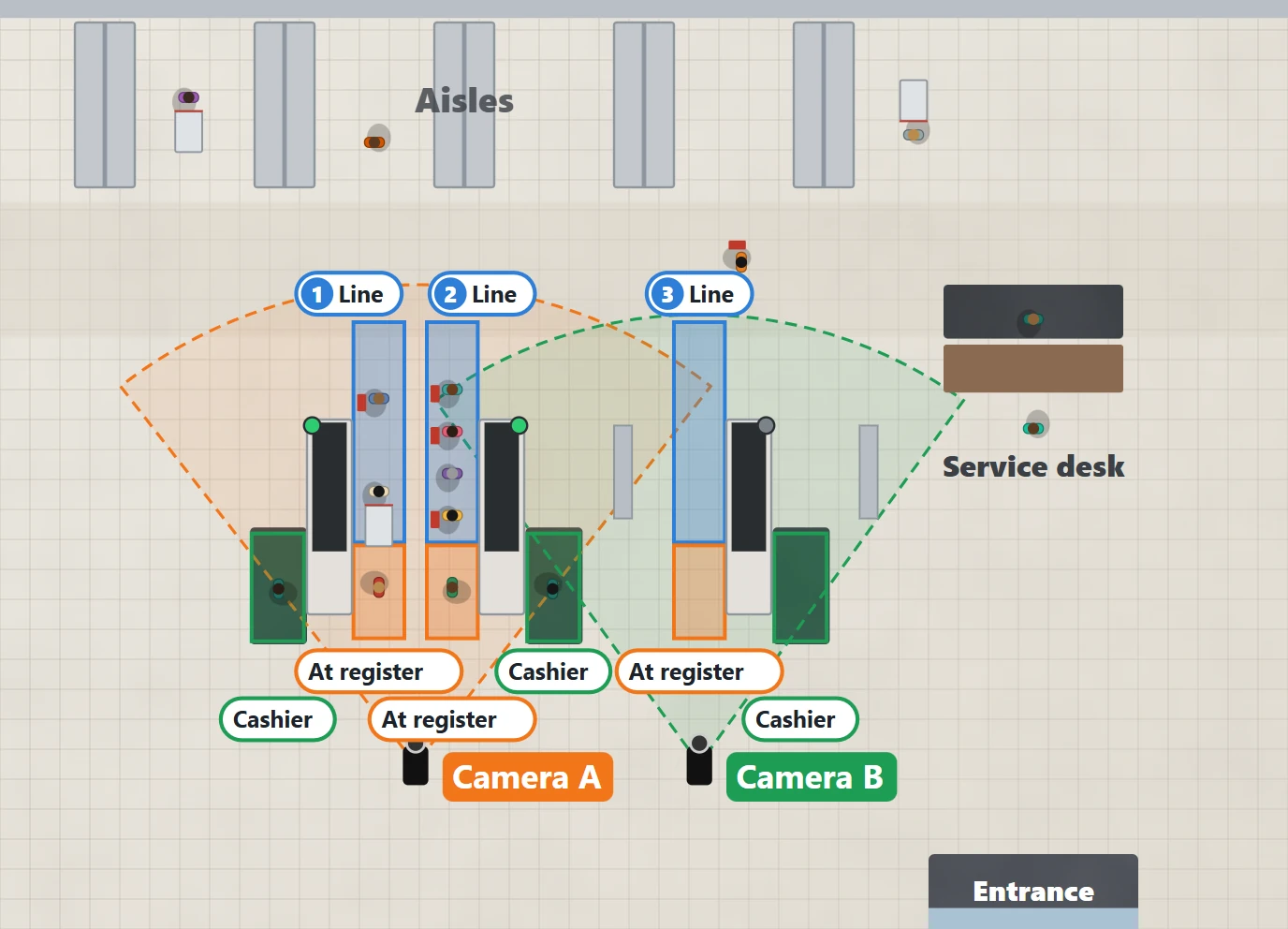
Maple & Main from above. Each register has three zones: its line , the spot at the register where the customer pays, and the cashier 's place. Registers 1 and 2 are back to back, s
Maple & Main from above. Each register has three zones: its line, the spot at the register where the customer pays, and the cashier's place. Registers 1 and 2 are back to back, so Camera A, between them, sees both lines; Camera B looks down line 3.

Do

  • Mount it high (about 12 to 16 ft), at the register end, looking back down the line. From high up, people in line do not hide each other.
  • See the whole line: from the register to the back, where people join it, with a little room past it for busy days.
  • See the cashier's place behind each register: someone standing there is how the board knows the register is open.
  • Two lanes, one camera: where two lanes are side by side, put the camera between them.

Avoid

  • A camera looking across a counter at the line behind it: the counter hides the floor where people stand.
  • Tall displays or racks between the camera and the line.
  • A low camera at eye level: the person in front hides everyone behind.
  • A line that runs out of the picture: people outside it are not counted.
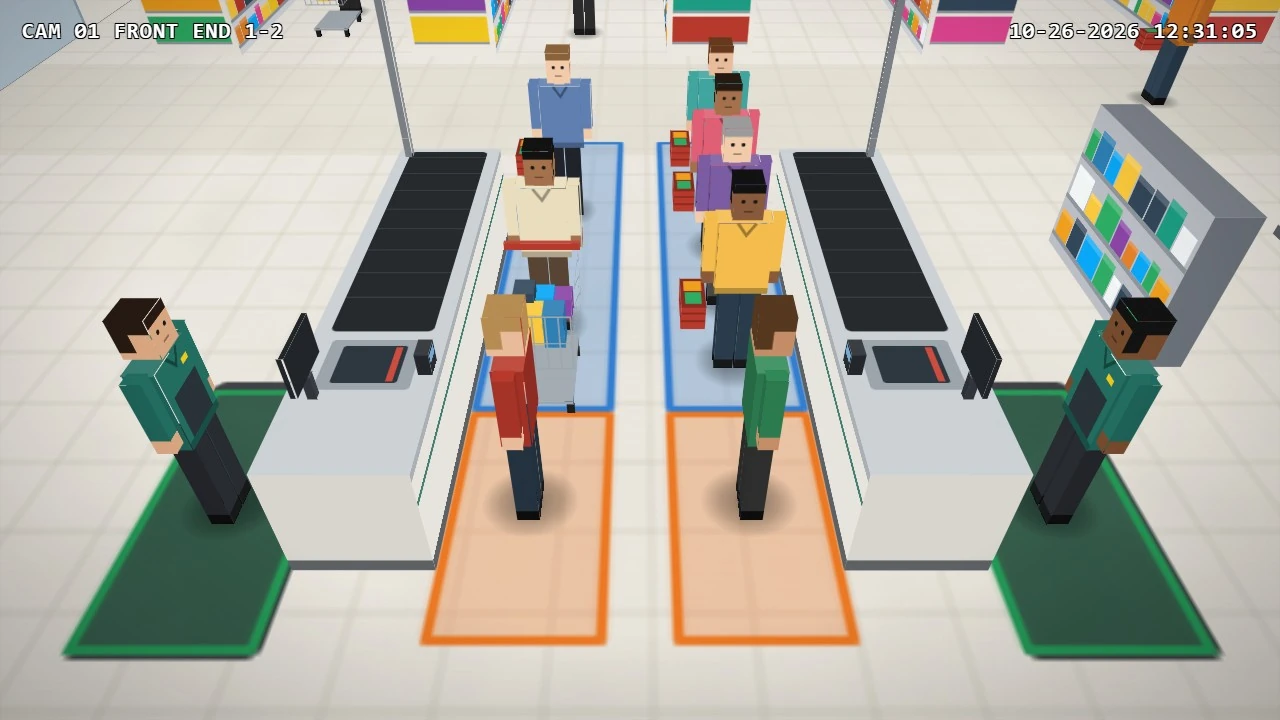
Camera A, as installed: high, between registers 1 and 2, looking down both lines. Each line (blue), the spot at each register (orange) and each cashier's place (green) are in full
Camera A, as installed: high, between registers 1 and 2, looking down both lines. Each line (blue), the spot at each register (orange) and each cashier's place (green) are in full view.
Up to three cameras per boardA board takes the zones of up to three cameras, and one camera can hold several lines. A store with more registers than one board can see makes a second board (a board for the front end, another for the service desk, for example).

Stuck on a step?

iLink Professionals supports owners and installers. Call, or send us a message.