11Cards: numbers, charts, heat maps
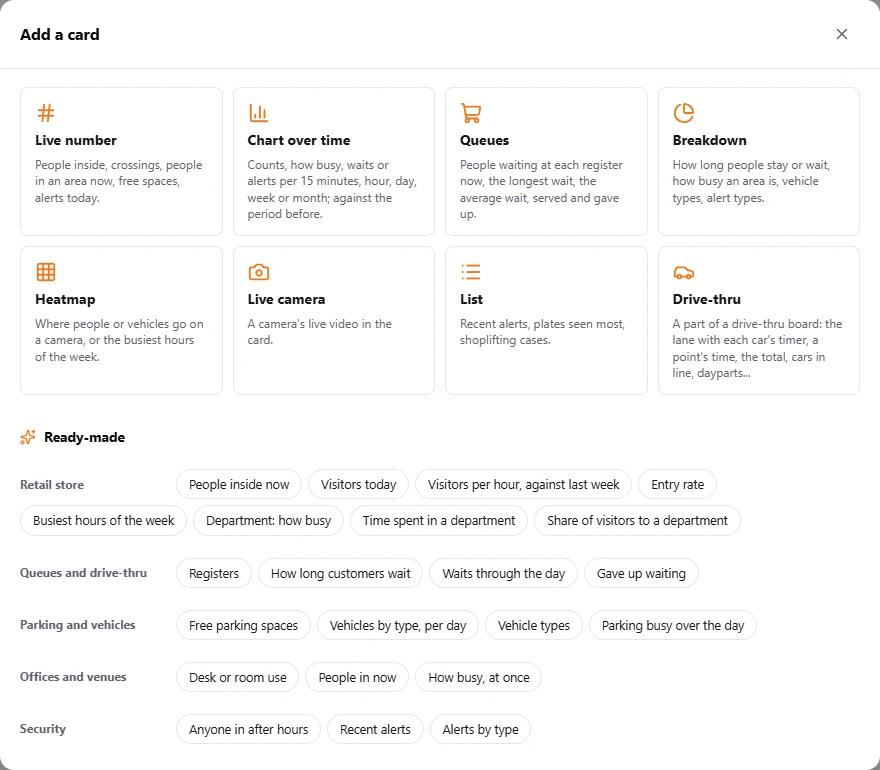
Add a card offers eight kinds of card, and ready-made ones that bring their settings with them: choose a ready-made card where there is one, and only pick the door, the zone or the camera.
| Kind | Shows |
|---|---|
| Live number | One number, live: people inside, crossings of a line, people or vehicles in an area now, free spaces, alerts today. Optionally a gauge, colours by value, its camera, and an alert. |
| Chart over time | Counts, how busy, waits or alerts per 15 minutes, hour, day, week or month, against the period before if you like. |
| Breakdown | How long people stay or wait, how busy an area is, vehicle types, alert types. |
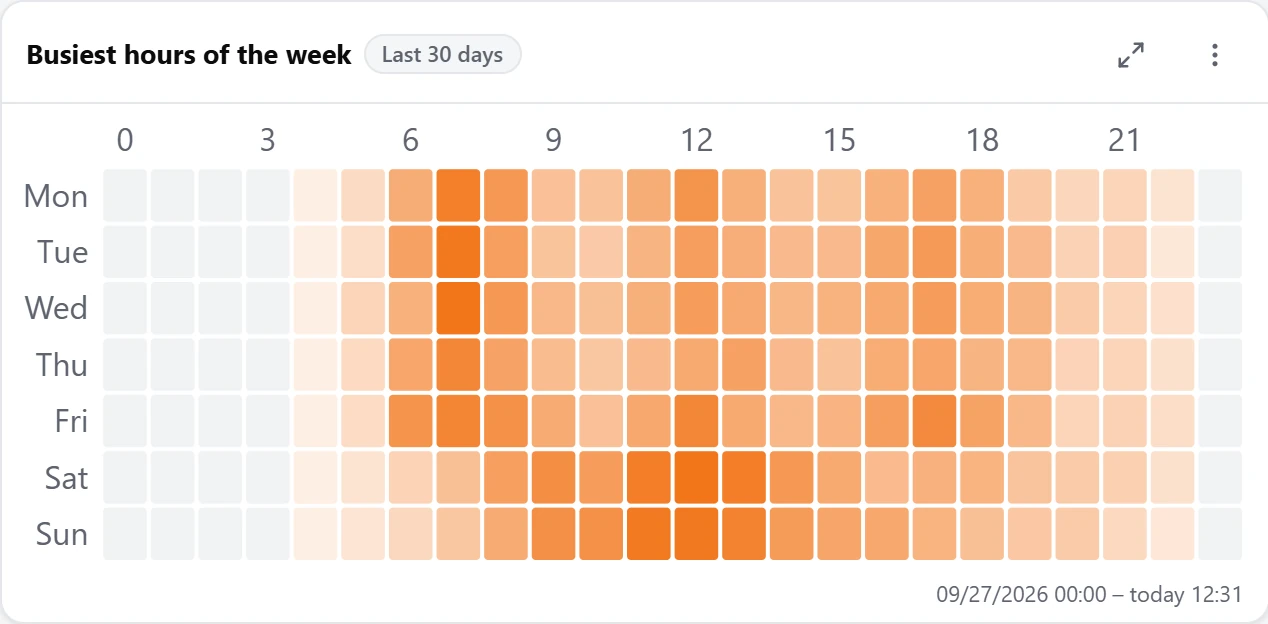
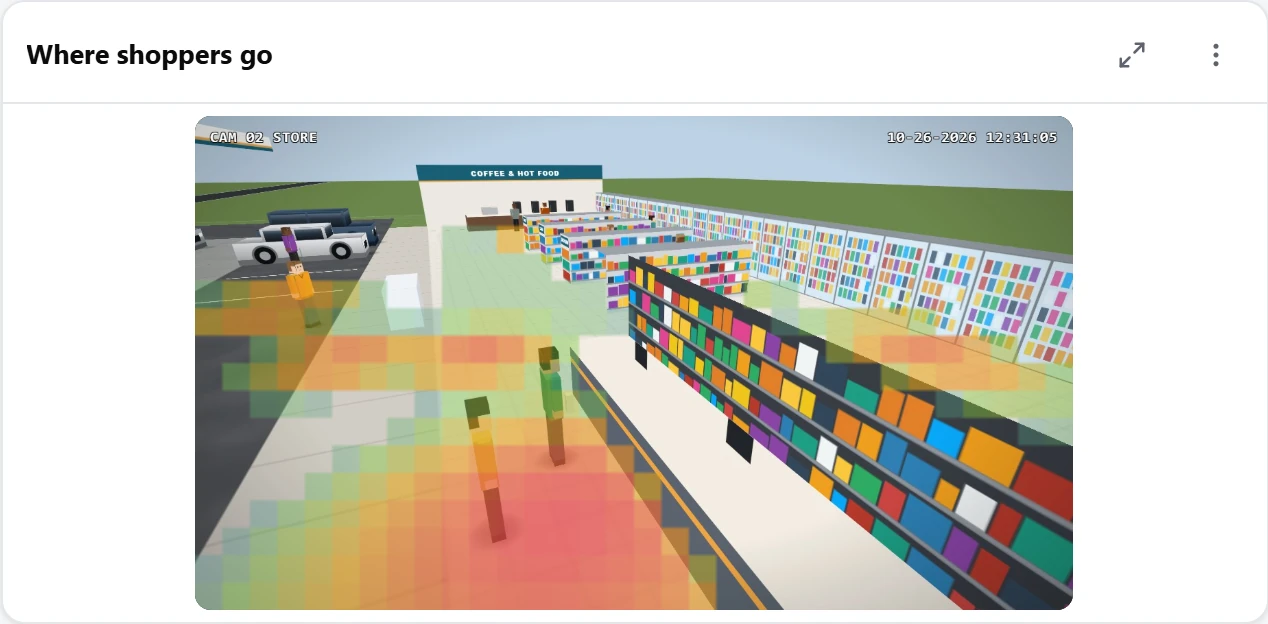
| Heatmap | Where people or vehicles go on a camera's picture, or the busiest hours of the week. |
| Live camera | A camera's live video in the card. |
| List | Recent alerts, plates seen most. |
| Queues, Drive-thru | Lines at registers and drive-thru parts: see the LineSense and Drive-Thru guides. |
Ready-made cards
| For | Cards |
|---|---|
| Retail store | People inside now · Visitors today · Visitors per hour, against last week · Entry rate · Busiest hours of the week · Department: how busy · Time spent in a department · Share of visitors to a department |
| Parking and vehicles | Free parking spaces · Vehicles by type, per day · Vehicle types · Parking busy over the day |
| Offices and venues | Desk or room use · People in now · How busy, at once |
| Security | Anyone in after hours · Recent alerts · Alerts by type |
| Queues and drive-thru | Registers · How long customers wait · Waits through the day · Gave up waiting |
Example: people inside now
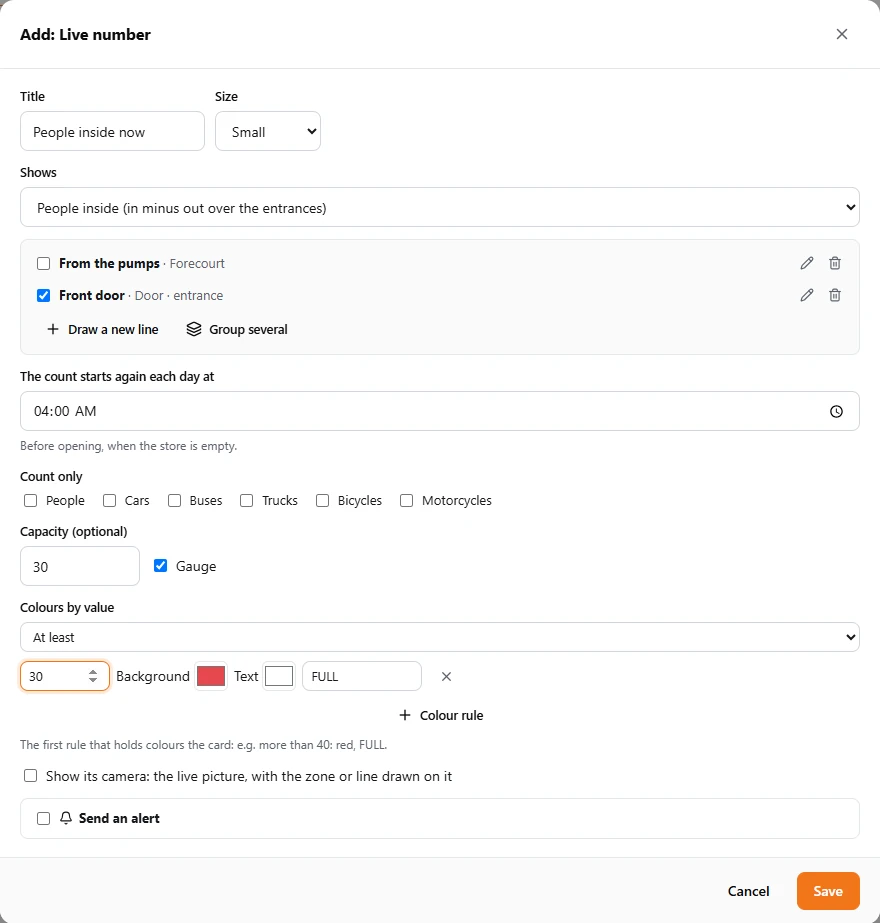
Choose People inside now, tick the door's line (Front door; with several entrances tick each one, or a group of them), and set when the count starts again each day: before opening, when the store is empty. A Capacity with Gauge draws the gauge; Colours by value turns the card red from a number you choose. Count only limits it to people, or to a kind of vehicle.
Several cameras as one: groups
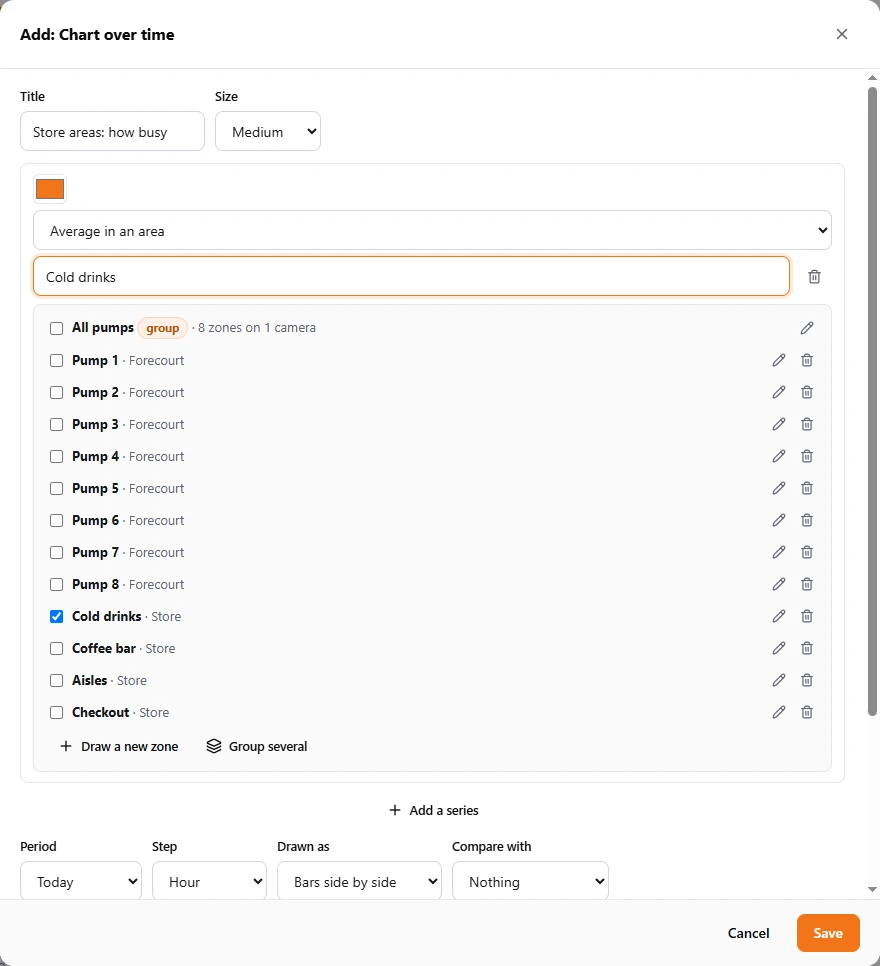
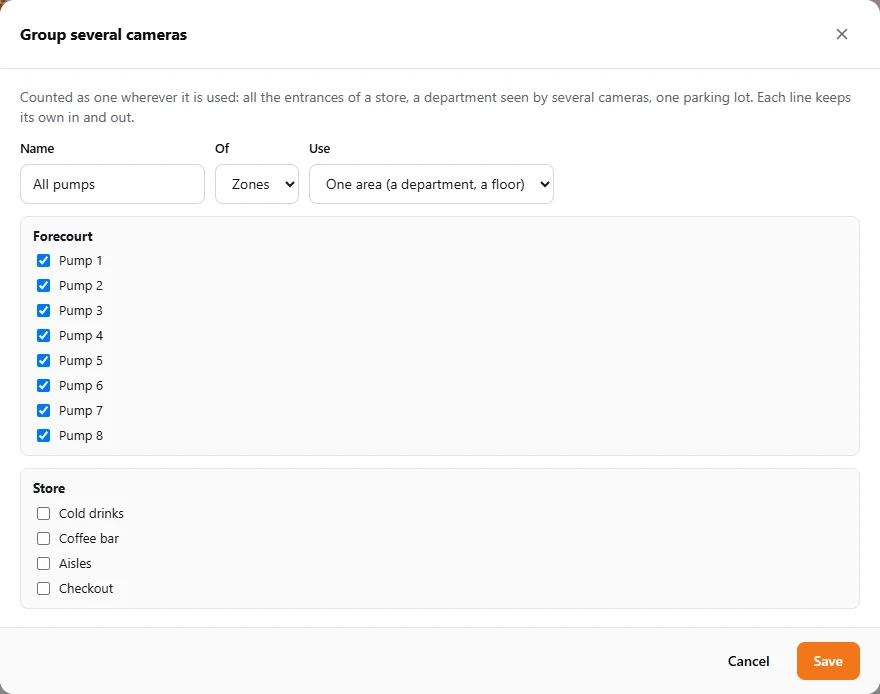
A group adds up lines or zones of several cameras, named once and used by any card: every entrance of a store as one door, a department seen by two cameras, all the pumps. In a card's list of lines or zones, click Group several, name it and tick its members. Each entrance keeps its own in and out.
Charts
A Chart over time has one or more series (Add a series), each a measure of a line, zone or group: crossings, visits, people in an area on average or at most. Then the Period, the Step (15 minutes to a month), how it is Drawn as (bars side by side, stacked bars, lines) and what to Compare with (nothing, or the period before).