6When alerts are sent
Most owners want an alert from the forecourt or the back door only when the store is closed, but want to see in the morning what happened during the day. The gateway separates the two: a rule detects when you choose, and its alert is sent when you choose.
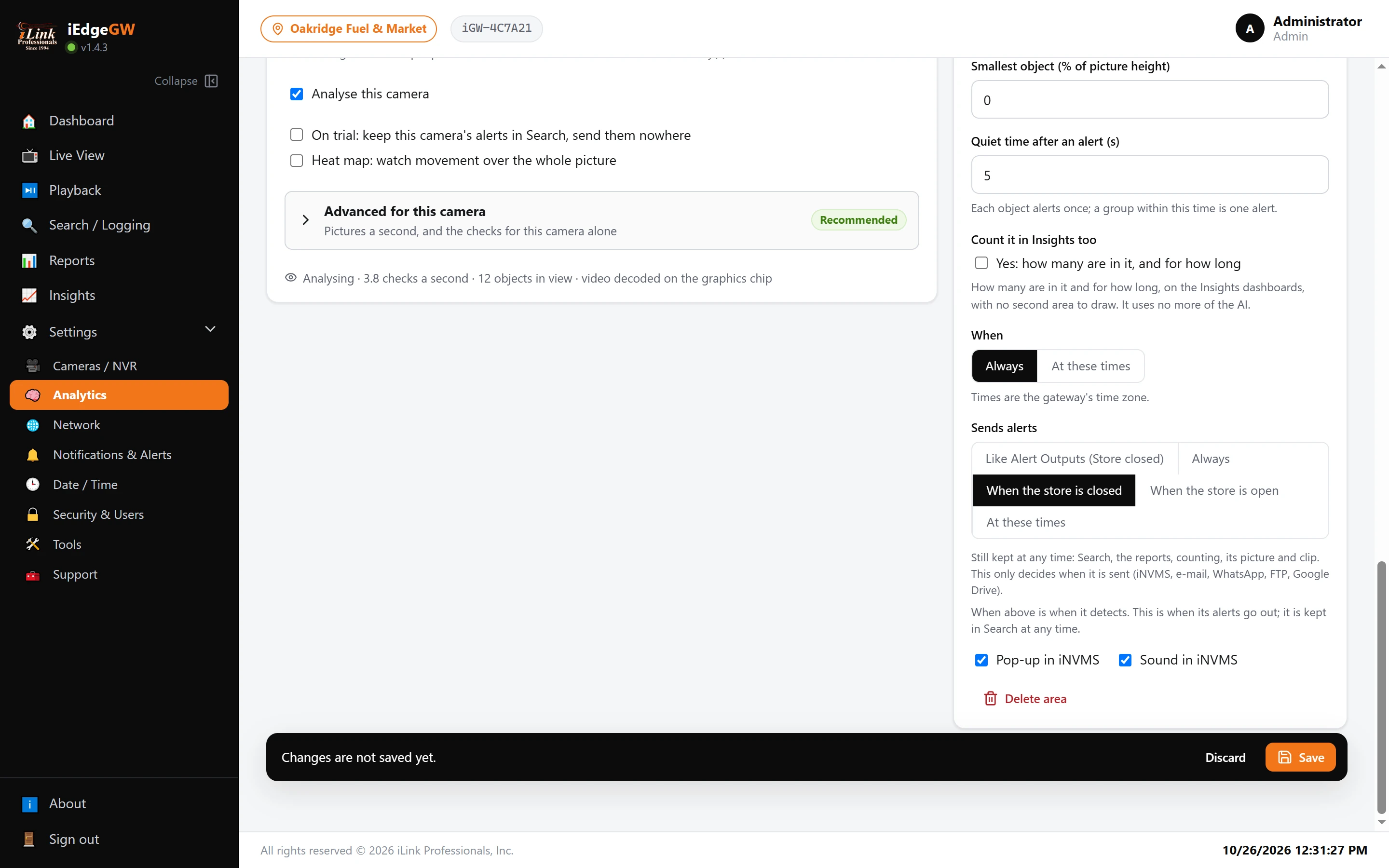
The store's hours
In Settings › Notifications & Alerts › Alert Outputs, the Store hours card: for each day the opening and closing times, or Closed; hours past midnight run into the next day. Closed days are holidays, closed all day. Click Save store hours. Until they are saved, an alert set to the store's hours is sent at any time.
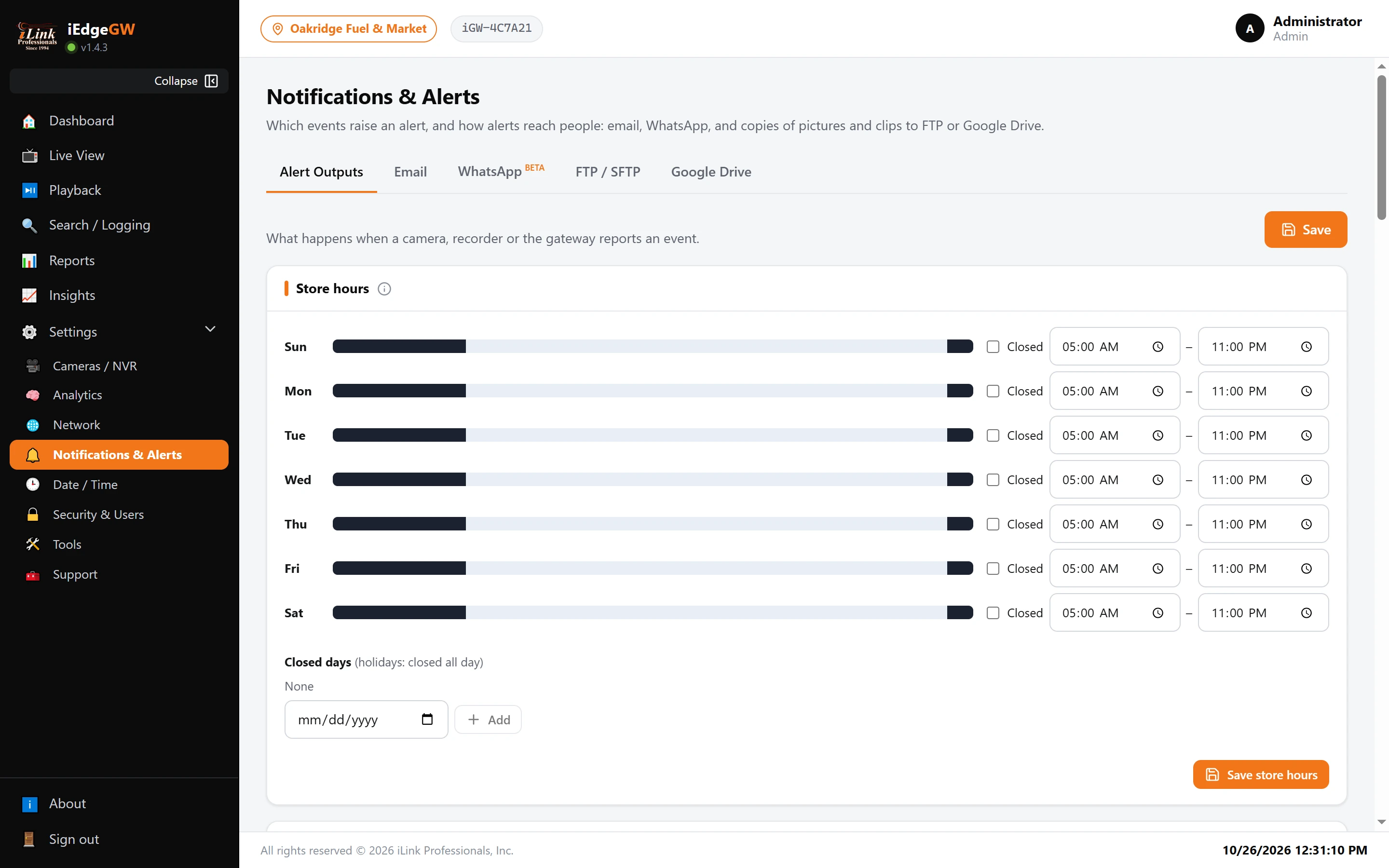
Each kind of alert
In the Alert Outputs table, the When of each kind of alert (Intrusion, Line Crossing, Loitering…): Always, When the store is closed, When the store is open, or At these times (days and hours). Click Done, then Save at the top of the page.
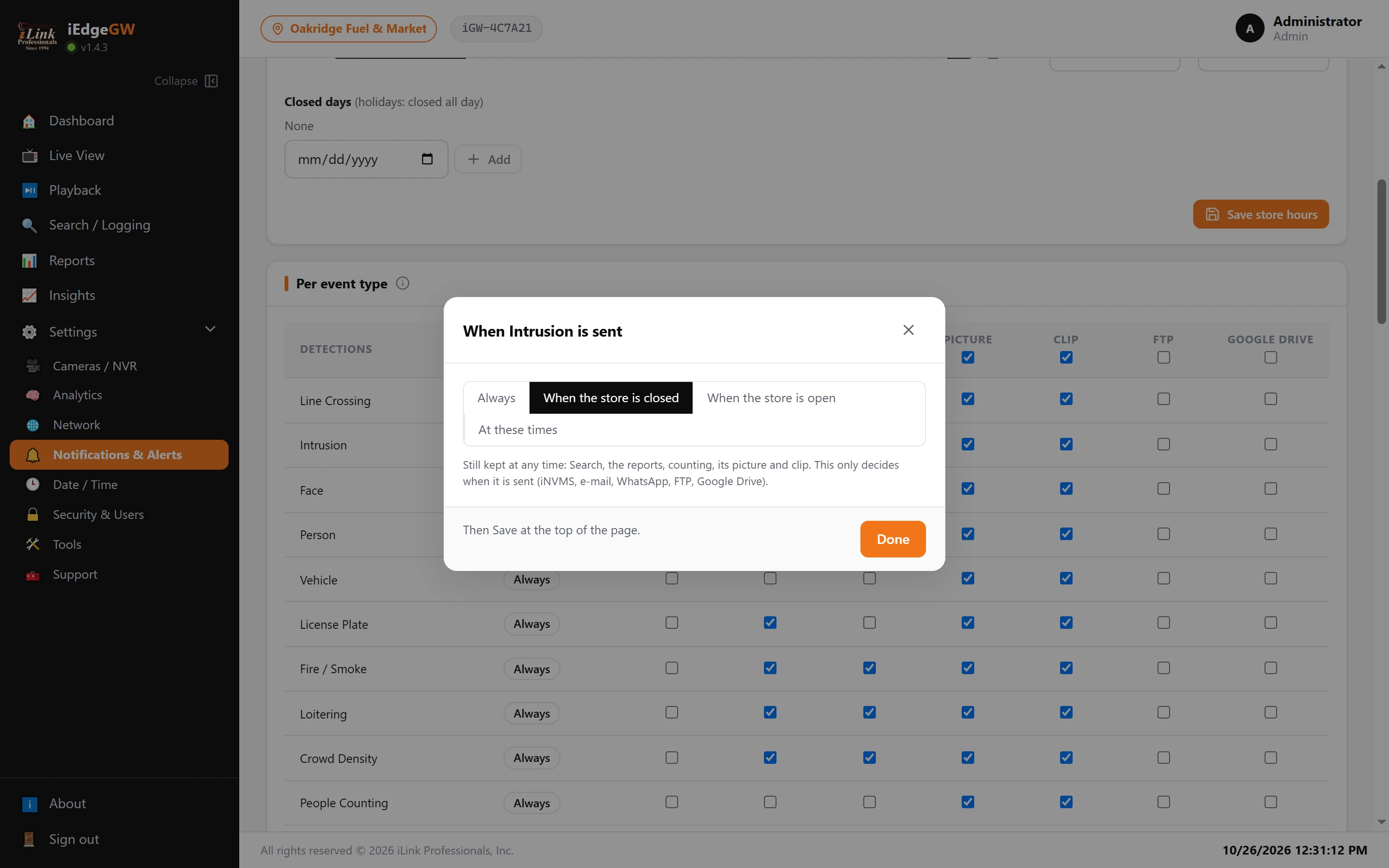
One rule different from the rest
Each line, area or detection in Settings › Analytics has two settings of its own:
- When: when it detects at all. Always, or At these times. Outside them it does nothing and keeps nothing.
- Sends alerts: when its alerts go out. Like Alert Outputs (its kind's setting, the default), or its own: Always, when the store is closed, when it is open, or at these times.